
PS5 games can fill up your console’s storage quickly. You can archive PS5 games on a compatible USB drive, but you must copy them back to console storage or an internal M.2 SSD to play them.
Check Sony’s Exact Requirements Before Buying
The original PS5, PS5 Slim, and PS5 Pro use the same expansion drive specifications. Check Sony’s official compatibility and installation guide for your console model before buying or opening the console.
| Specification | PS5 Requirement |
|---|---|
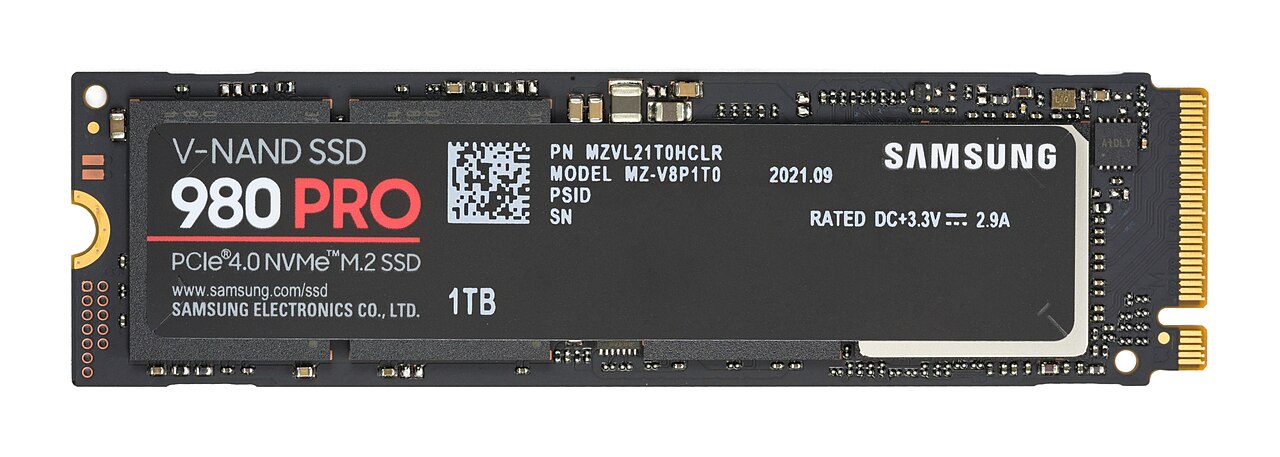
| Interface | PCIe Gen4 x4 M.2 NVMe SSD (Socket 3, Key M). M.2 SATA drives are not supported. |
| Capacity | 250 GB to 8 TB. |
| Form factor | 2230, 2242, 2260, 2280 (most common), or 22110. |
| Recommended read speed | 5,500 MB/s sequential read or faster. |
| Cooling and max size | Heatsink or heat spreader required. Total assembly must fit within 110 mm long, 25 mm wide, and 11.25 mm thick (max 8.0 mm above the board and 2.45 mm below). |
Three Things That Catch Buyers Off Guard
Avoid M.2 SATA drives: they are not compatible. Look for a Gen4 x4 NVMe drive with a heatsink that fits Sony’s dimensions. Don’t stack a second heatsink on a drive that already has one. Sony also warns that drives relying on Host Memory Buffer can run slower than expected because the PS5 does not support it.
Install Without Losing Your Games or Saves
Update your PS5 system software, turn the console off completely, unplug its cables, and let it cool. Follow Sony’s instructions for your model to remove the correct cover. Move the spacer to the hole for your drive’s length (80 for a 2280 drive), seat the drive at an angle, and secure it with the screw. Reinstall both covers before reconnecting the console.
When you power the PS5 back on, it will prompt you to format the new M.2 SSD automatically. Formatting only wipes the new drive and leaves your existing internal console storage, installed games, and save data untouched. Once formatted, head to Settings > Storage > Installation Location to set the new M.2 SSD as your default download target or move existing PS5 games over without re-downloading them.